Working at home is comfortable and flexible. However, security risks can easily hide behind this convenience. Furthermore, the little things like leaving your laptop unattended when you get your coffee, can be an invitation to unauthorized access. Cybersecurity firms explain that in offices, security habits happen naturally. This is because there is less contact with devices at work. Additionally, networks are controlled and closely monitored. Moreover, office routines are not as organized at home or in a third space. Hence, physical safety should be incorporated into cybersecurity.
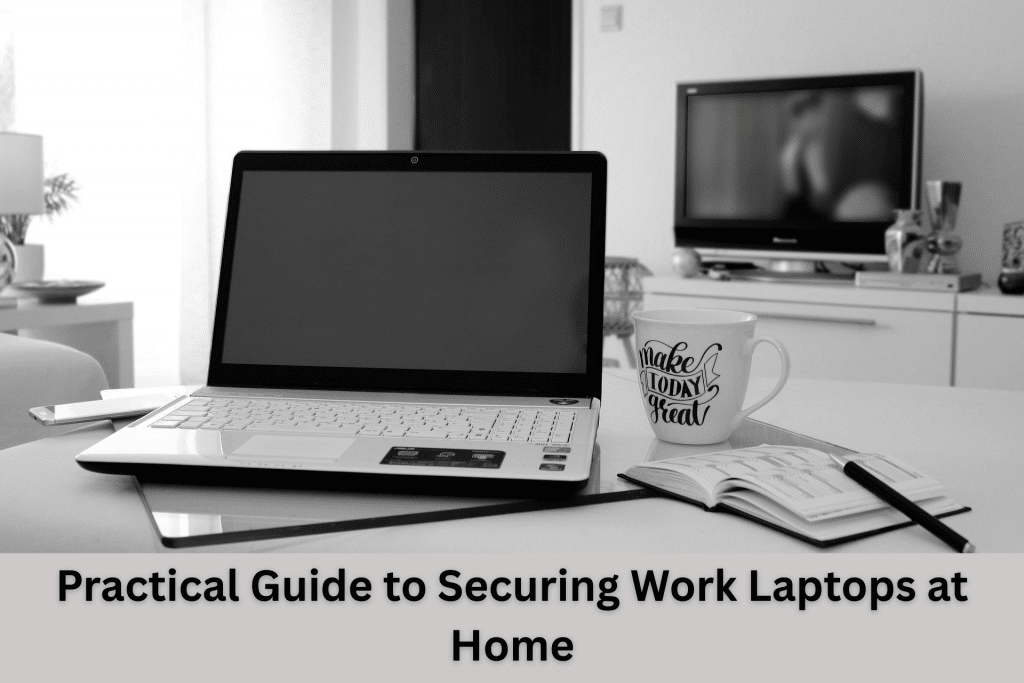
Cybersecurity Firms’ Practical Guide to Securing Work Laptops at Home
Outside of the office, equipment is moved around rooms and surfaces frequently like placing devices on tables or couches. This habit unknowingly increases the risk, especially when staff step away from the equipment. That is why agencies such as CISA and other cybersecurity firms emphasize simple habits like locking devices and limiting access.
In the same vein, mixing personal and work usage also occurs in the home environment. Hence, creating human-driven risks easily. This is because even close family members can unintentionally open unsafe links. Thus, the National Cyber Security Centre recommend using work laptops as business tools and refrain from using them for private purposes.
The Reality of Home Networks
Cybersecurity firms stress that home networks are not commonly comparable to office standards. This is because most routers have default passwords or use weak passwords. In some cases, devices have been using old firmware that can be an easy entry point of attack. Despite this, however, most problems can be addressed in a few simple steps. This may include using a strong password to secure the router and turning on the built-in firewalls and antivirus protection in your devices. Additionally, you can also remove unused features and outdated software to minimize the risks.
Remote identity security is also of greater concern. Because of this, cybersecurity firms promote a Zero Trust approach. This means that all logins have to be confirmed and traced. Plus, extra checks should be triggered by suspicious behavior.
A Simple Home Security Checklist
Lock Devices Without Fail
Make sure to never leave your screen without locking it. Set automatic lock timers for quick protection. Additionally. manual locking should become second nature. Keep in mind that even short breaks can create exposure risks.
Store Devices with Care
You must keep laptops and other devices in safe and secure locations. Avoid leaving them on open surfaces and never leave them inside vehicles unattended. Take note that these devices are or may contain assets.
Keep Work Devices Personal
Do not share work laptops with others. This is because minor activities can bring risks. You may encounter issues with downloads, extensions, or unrecognized logins. Hence, you should restrict use to authorized people only.
Strengthen Access and Updates
Use Strong Authentication
This means creating long and unique passphrases for accounts. Furthermore, you should avoid reusing passwords across platforms and allow multi-factor authentication in all systems. In the same vein, enforce the use of MFA as additional security measures.
Keep Systems Updated
Your devices should be able to support frequent security patches, especially since old systems can be a vulnerability. Since this can happen over a short period of time, allow automatic updates as much as possible. Once completed, make sure to reboot to complete and apply the updates.
Patch Without Delay
In line with updating systems, patching is also essential as it corrects existing vulnerabilities in systems. It is also important to apply patches as soon as they are available as delays can expose your devices to active threats.
Secure Your Home Network
Protect Wi-Fi Properly
Just like in your devices, strong passwords are also essential for wireless networks. Make sure to turn on modern encryption, such as WPA3, where possible. Additionally, immediately change the default router credentials and update firmware regularly to be safe.
Keep Security Tools Active
Antivirus software and firewalls should remain on. Do not turn them off when you feel like it. You can adjust settings of the are features instead of turning protection off. Remember that better defense is achieved through proper configuration.
Remove Unnecessary Software
Although it is tempting to get popular apps, excessive applications can also pose security threats. This is because every application introduces new maintenance as well as vulnerabilities. As such, remove unused programs from your system and use only approved and trusted software.
Handle Data the Right Way
Keep Work Files in Approved Systems
This means you only store business data inside company platforms. Do not use a personal cloud storage service. This is because approved systems usually have control and recovery options and support audits and compliance.
Stay Alert to Suspicious Messages
Always be wary of unsolicited emails or links. Do not react to urgent emails immediately as they are usually used in phishing schemes. Always, confirm instructions through reliable means of communication and never do something unless you have confirmed and counter checked.
Allow Access Only from Secure Devices
You should base accessibility on the health of a device. This is because devices that are not managed pose a higher risk of infiltration. Make sure that devices go through inspection before you give access to limit exposure from compromised devices.
Cybersecurity Firms Suggest Building a “Home-Proof” Security Culture
Remote work needs strong default protection. As such, devices should stay secure without constant reminders. Make cyber hygiene a habit in order to create a strong defense over time. This must include the conscious practice of locking screens, using secure storage, and updating systems. Make sure to secure networks and regulate access to data. These basic actions prevent most incidents.
Does your business need help in making your tech safe? We can help!
Call us today!
Tech Insights From EB Solution
Watch Our Latest Tech Videos From EB Solution

Get A Free Immediate Quote For IT Services
From EB Solution Today.
Why choose EB Solution:
- Around-the-clock IT services
- Expert technology professionals
- Single source for all your IT
- Reliable data backup solutions
- Certified cybersecurity experts
Ready to make the move to EB Solution?
Fill out the form to the right to get your free immediate quote.